Repository navigation
Conversation


The AI could only send users to the Publish menu for a custom domain. Now
it calls OfferCustomDomain, which puts the Publish card in the chat in a
domain mode. Its button is the popover's Use custom domain (useOwnDomain),
so Puter's window still opens straight from the user's click, as a browser
requires of a popup.

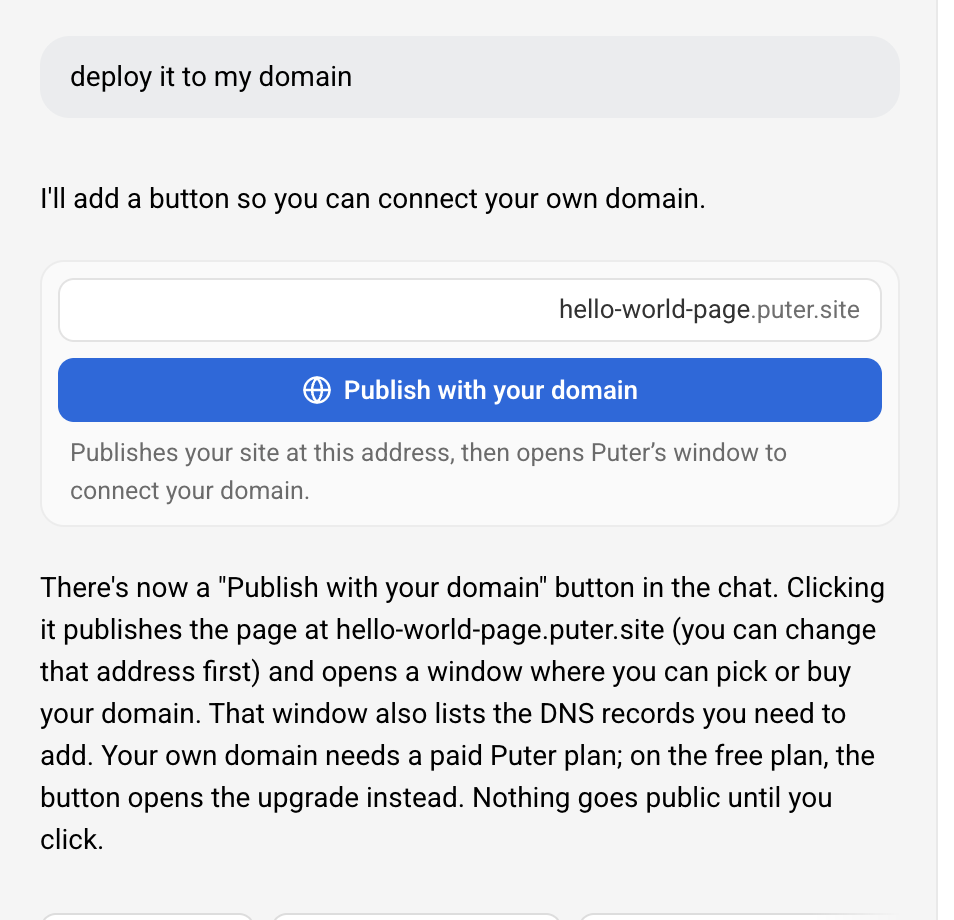
- Before a first publish the card has the address field and "Publish with
  your domain": it reserves the name, opens Puter's window and publishes,
  as the popover's route does (publishWithDomain), with the card's own
  field, errors and publish passed in.
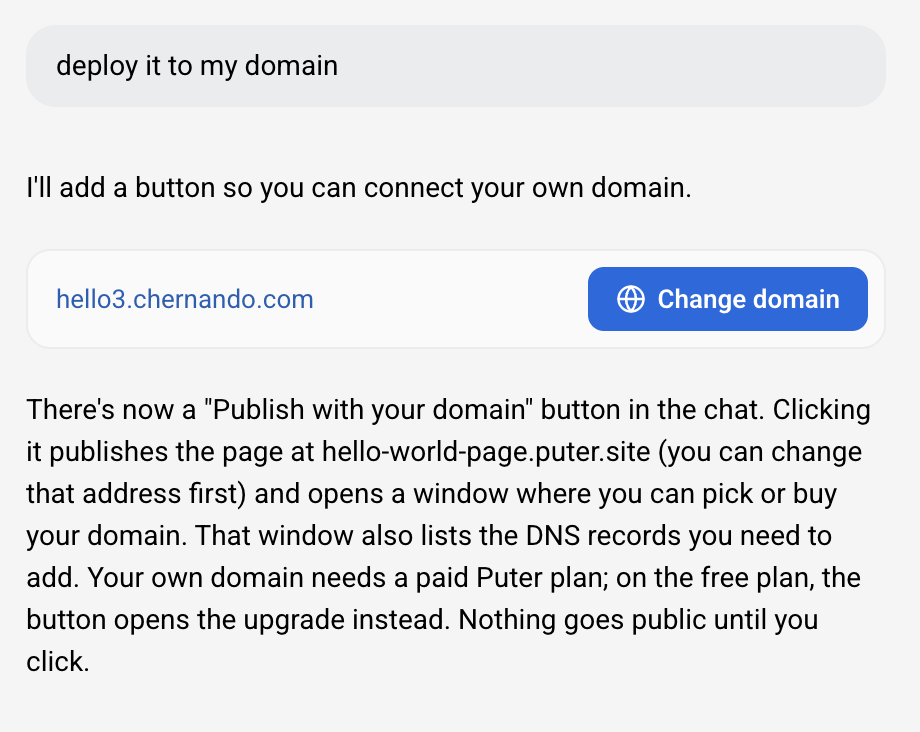
- On a live site it shows the address (the domain once it works) and Use
  custom domain, Change domain or Connect again, with a line while the
  domain waits for DNS. A turn doesn't hold it up; an address change does.
- On the free plan the button opens the upgrade, and the card turns into
  the paid one when the plan changes.
- The domain chosen is saved on the card's tool result, so an older card
  reads "Domain added" after a reload.
- The prompt points own-domain requests at the tool, and older chats whose
  prompt sends the user to the Publish menu get a note.

Member
|
Preview of this branch at 631e9fe
The preview is its own app, so it starts with no projects. Your builder.puter.com projects won't show up there. |
Member
|
Member
|
Member
|
for the manual "Use custom domain" button, we automatically picked the .puter.site subdomain for the user to avoid having them do double work (typing the name of puter site subdomain and typing their domain name) i think this should just be a button that opens the dns flow, and we just automatically pick the puter.site subdomain for them in any case, this is working as expected right now |
This file contains hidden or bidirectional Unicode text that may be interpreted or compiled differently than what appears below. To review, open the file in an editor that reveals hidden Unicode characters.
Learn more about bidirectional Unicode characters
Sign up for free
to join this conversation on GitHub.
Already have an account?
Sign in to comment


Add this suggestion to a batch that can be applied as a single commit.This suggestion is invalid because no changes were made to the code.Suggestions cannot be applied while the pull request is closed.Suggestions cannot be applied while viewing a subset of changes.Only one suggestion per line can be applied in a batch.Add this suggestion to a batch that can be applied as a single commit.Applying suggestions on deleted lines is not supported.You must change the existing code in this line in order to create a valid suggestion.Outdated suggestions cannot be applied.This suggestion has been applied or marked resolved.Suggestions cannot be applied from pending reviews.Suggestions cannot be applied on multi-line comments.Suggestions cannot be applied while the pull request is queued to merge.Suggestion cannot be applied right now. Please check back later.
Why
When a user asked the AI to put their site on their own domain, the AI could only tell them to open the Publish menu. The chat's Publish card handled only
.puter.siteaddresses, and an address likejoes.compassed toOfferPublishbecamejoes-com.puter.site.The AI can't open Puter's domain window itself:
puter.hosting.attach()opens a popup, and browsers only allow that straight from a user's click. A button on a chat card counts as that click, the same way the Publish card does.What
A new
OfferCustomDomaintool (src/tools/chat_ui/domain.js) puts the Publish card in the chat in a new domain mode. The card's button calls the popover's existinguseOwnDomain, so the plan check, name reservation, Puter's window, domain records and status checks are all shared.Changes outside the new tool:
ui.js:publishWithDomain/useOwnDomaintake an optionalviafrom the card (its typed name,fail,publish,onDomain). Withoutvia, the popover behaves as before.connectCustomDomaintakesonDomain. Domain and plan changes also redraw chat cards.publish.js:publishFromCardcan publish onto a reserved name.OfferCustomDomain. Older chats whose prompt still sends users to the Publish menu get a note (DOMAIN_TOOL_NOTE).OfferPublish's description points to the new tool too.Testing
npm testandnpm run buildpass.test-custom-domain.mjsruns the real ui.js domain code with the card'svia:test-publish-card.mjsruns the real card and tool: every state above, the busy labels, saved records, the frozen "Domain added" card, reloads and wiring.