

简体中文 · English


会帮你改掉口癖的开源语音输入法,Umless 的 Android 端。 基于 fcitx5-android 修改:键盘、拼音 / 双拼 / 五笔等输入方式都来自上游, Umless 在上面加了语音输入与表达教练。

- 长按空格说话:松开后自动去口癖、纠错、排版并写入光标处;上滑取消,写入后可换回原话或撤销。识别在手机本地运行(sherpa-onnx + SenseVoice)。
- 润色用你自己的大模型:任意 OpenAI 兼容接口,提示词与桌面端一致。
- 主 App 与桌面端相同:概览、每日诊断与习惯卡、口语练习、历史、设置。
- 数据只在本机:录音不保存,记录存在手机本地数据库。
- 应用 ID
org.umless.ime,可以和原版 fcitx5-android 同时安装。
Note
目前是测试版(仅 arm64)。遇到问题请在本仓库反馈,「设置 → 关于 → 导出诊断日志」可以导出不含原文和 API Key 的日志。

它首先是一个完整的中文输入法:拼音、双拼、候选栏、剪贴板、主题都来自 fcitx5-android。语音是在这之上加的:
| 操作 | 效果 |
|---|---|
| 长按空格 | 开始录音,键盘上方显示「正在聆听」、声波和计时;空格左右滑动移动光标不受影响 |
| 松开 | 识别中 → 润色中 → 写入光标处(直接写入输入框,不经过剪贴板) |
| 按住时上滑 | 提示「松开取消」,松开后什么都不写 |
| 写入后点「原话 / 撤销」 | 换回识别原文,或删掉刚写入的文字 |
| 工具栏麦克风 | 打开语音面板,按住大按钮说话,适合长段口述和单手操作 |
- 按场景润色:根据当前 App 的包名和输入框类型判断聊天、文档、邮件、搜索 / 网址等场景;搜索框和网址栏只用「忠实」档、不分段。
- 识别在独立进程:
:voice进程里运行 sherpa-onnx + SenseVoice,原生库出问题不会拖垮键盘;空闲一段时间后自动释放模型内存。 - 失败兜底:大模型超时、没配置或没网络时,写入识别原文并提示。
- 模型不打包进安装包:首次使用时在 App 内下载(约 166MB),校验 sha256。
- 密码框:长按空格不触发语音、隐藏麦克风按钮,不记录。
- 无痕输入框(如浏览器无痕标签页):照常输入,但不记录。
- 应用黑名单:默认包含常见的密码管理器和银行、支付类 App,可以自己增删。
- 录音不保存;逐字稿只存在本机数据库,支持暂停记录、保留天数、导出、清空。
- 上游 fcitx5-android 没有网络权限,Umless 加上了,只用于连接你配置的大模型地址、下载识别模型和检查更新;没有遥测。
主 App 是桌面端的同一套网页界面(在 WebView 里加载,手机上自动切换为底部标签栏),统计和评分与桌面端完全一致:两端共用 Umless 主仓库的 spec/,构建时复制进来,umless-core 的单元测试逐条跑全部黄金样例(规则指标 63 条、评分 120 条、提示词拼装 13 条、识别后处理 39 条),浮点数按 double 严格相等。

- 规则指标:口癖、重复、改口在本地即时统计,只有被润色删掉的才算数。
- 每日诊断:流畅度、简洁度(规则)+ 逻辑性、清晰度(大模型)四项评分,问题与建议,「原话 → 更好的说法」对比示例。诊断在打开 App 时进行,不在键盘进程里跑。
- 习惯卡:把可以量化的问题变成卡片,追踪「起点 → 当前 → 目标」。
- 口语练习:每天 5 道题,在 App 内录音,五维评分和示范表达。

左起:新手引导(启用键盘)、历史记录中的口癖 / 重复 / 改口高亮、深色主题。截图均为模拟数据。
在 Releases 下载 Umless-<版本>-arm64.apk 安装
(目前只提供 arm64,适用于绝大多数手机)。首次安装需要允许「安装未知应用」。打开 App 后按新手引导启用键盘、授权麦克风、下载识别模型(约 166MB)、配置大模型。
- App 内更新:每次打开 App 时若距上次检查超过一天就检查一次新版本(「设置 → 关于」可手动检查、关闭自动检查); 下载后校验文件和签名,再通过系统安装界面覆盖安装,数据保留。只读取 GitHub Releases 上的更新清单,不上传任何数据。
- Obtainium:也可以在 Obtainium 里添加
https://github.com/despriber/Umless-Android, APK 筛选正则填arm64\.apk$,不要勾选预发布版本。 - 签名证书 SHA-256:
AF:19:0F:91:1E:AA:73:48:FD:B7:1B:6B:C8:00:BE:1F:0A:52:34:57:31:14:A6:0C:9D:6B:4B:3F:EB:05:B8:12。 证书不同的安装包不是官方版本,App 内更新会拒绝安装。
开发与构建见 umless/ARCHITECTURE.md(需要把 Umless 主仓库放在 ../Umless),发布流程见 RELEASING.md。
| Umless(Windows) | Umless 输入法(本仓库) | |
|---|---|---|
| 入口 | 任意应用里按住热键 | 长按空格 / 工具栏麦克风 |
| 识别 | SenseVoice(默认)/ Qwen3-ASR / 云端 | SenseVoice(手机本地) |
| 润色、评分、提示词 | 同一套 spec/ |
同一套 spec/ |
| 数据 | 本机 SQLite | 手机本地数据库(与桌面端同一 schema),两端不同步 |
| 许可证 | MIT | LGPL-2.1-or-later |
- 本仓库是 fcitx5-android(Copyright Fcitx5 for Android Contributors)的分支, 与上游相同以 LGPL-2.1-or-later 发布。Umless 与上游项目没有隶属关系,问题请在本仓库反馈,不要提交到上游。
- 输入法框架与引擎来自 Fcitx5、libime、 fcitx5-chinese-addons、fcitx5-lua 等,遵守各自的许可证; 完整的依赖与许可证列表见 App 里 fcitx5 原有设置中的开源许可页面(入口:设置 → 关于 → 高级键盘设置)。
- 语音识别使用 sherpa-onnx(Apache-2.0)。识别模型不随安装包分发,首次使用时从 sherpa-onnx 官方 Release 下载:SenseVoice-Small 遵守 FunASR Model License(FunAudioLLM / 阿里巴巴通义实验室)。
- 感谢 fcitx5-android 与 Fcitx 社区的全部贡献者。
本项目认可并积极参与 LINUX DO 社区,欢迎在那里交流使用体验和建议。
交流社区:LINUX DO
以下是上游 fcitx5-android 的原始说明,保留作参考。其中的下载链接、签名信息和社区渠道都属于上游原版 fcitx5-android,不是 Umless。
Fcitx5 input method framework and engines ported to Android.



You can also download the latest CI build on our Jeninks server:

Note
APKs downloaded from GitHub Release/F-Droid/Jenkins have the same signature, which means they're compatible when upgrading, but Google Play's do not.
(click here for detailed signature info)
- Package Name:
org.fcitx.fcitx5.android - Certificate SHA-256 fingerprint:
- GitHub Release/Jenkins/F-Droid
- Google Play
E4:DB:1E:9E:DF:F1:36:29:D0:7D:E4:BB:F8:16:5F:E9:BD:85:57:AB:55:09:26:72:DA:8E:40:DB:E4:84:EC:D7
06:53:6F:F6:E8:76:C0:14:E1:4B:44:6F:61:FA:2B:80:9E:06:67:39:A1:D1:17:0D:0A:7A:89:88:4C:48:00:33
In case you want Fcitx5 on other platforms: macOS, iOS, HarmonyOS, ChromeOS, Windows; or try Fcitx5 in the browser
- English (with spell check)
- Chinese
- Pinyin, Shuangpin, Wubi, Cangjie and custom tables (built-in, powered by fcitx5-chinese-addons)
- Zhuyin/Bopomofo (via Chewing Plugin)
- Jyutping (via Jyutping Plugin, powered by libime-jyutping)
- Vietnamese (via UniKey Plugin, supports Telex, VNI and VIQR)
- Japanese (via Anthy Plugin)
- Korean (via Hangul Plugin)
- Sinhala (via Sayura Plugin)
- Thai (via Thai Plugin)
- Generic (via RIME Plugin, supports importing custom schemas)
- Virtual Keyboard (layout not customizable yet)
- Expandable candidate view
- Clipboard management (plain text only)
- Theming (custom color scheme, background image and dynamic color aka monet color after Android 12)
- Popup preview on key press
- Long press popup keyboard for convenient symbol input
- Symbol and Emoji picker
- Plugin System for loading addons from other installed apk
- Floating candidates panel when using physical keyboard
- Customizable keyboard layout
- More input methods (via plugin)
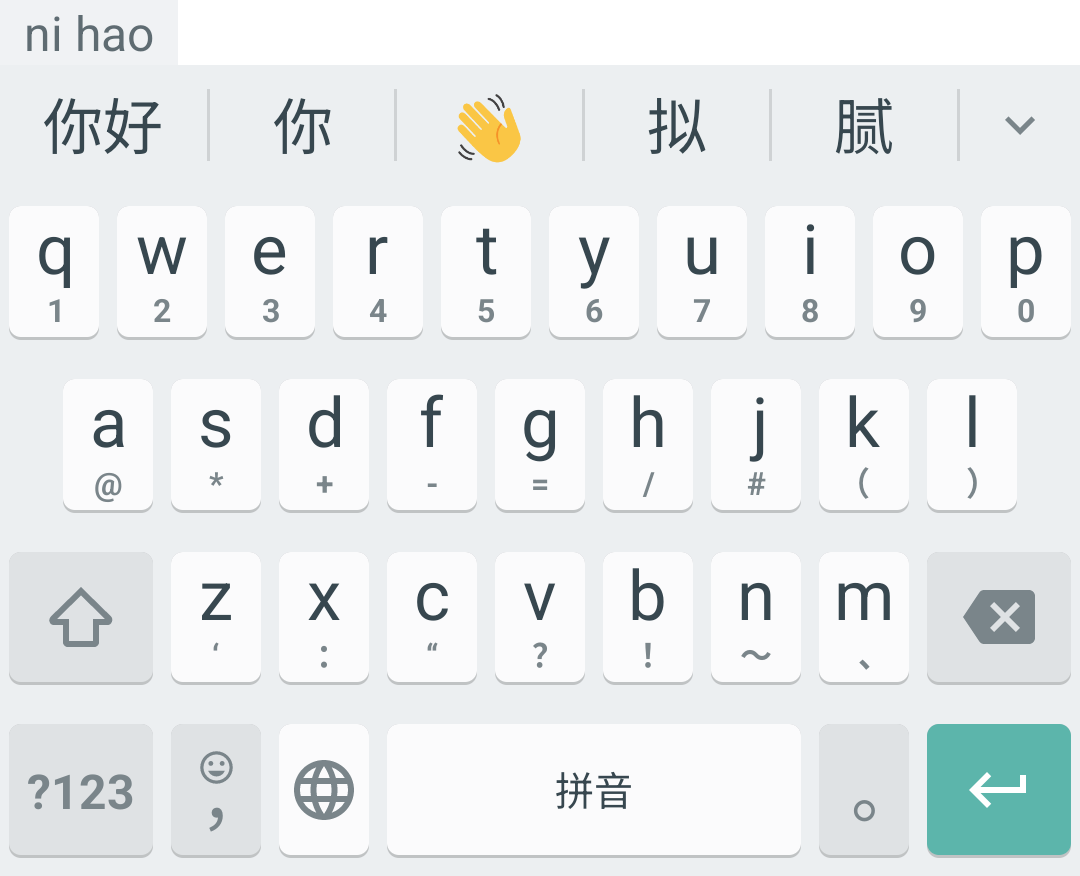
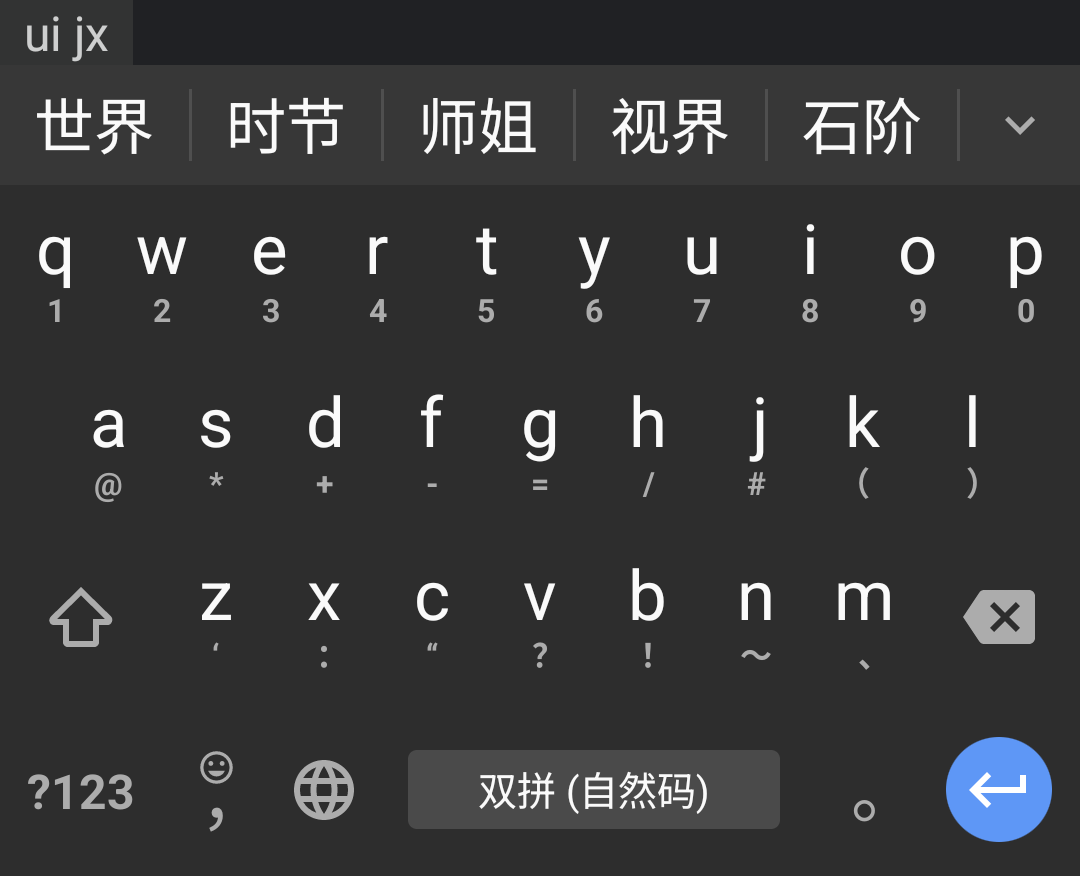
| 拼音, Material Light theme, key border enabled | 自然码双拼, Pixel Dark theme, key border disabled |
|---|---|
 |
 |
| Emoji picker, Pixel Light theme, key border enabled | Symbol picker, Material Dark theme, key border disabled |
|---|---|
 |
 |
Trello kanban: https://trello.com/b/gftk6ZdV/kanban
Matrix Room: https://matrix.to/#/#fcitx5-android:mozilla.org
Discuss on Telegram: @fcitx5_android_group (@fcitx5_android originally)
- Android SDK Platform & Build-Tools 35.
- Android NDK (Side by side) 25 & CMake 3.22.1, they can be installed using SDK Manager in Android Studio or
sdkmanagercommand line. - KDE/extra-cmake-modules
- GNU Gettext >= 0.20 (for
msgfmtbinary; or installappstreamif you really have to use gettext <= 0.19.)
Prerequisites for Windows
-
Enable Developer Mode so that symlinks can be created without administrator privilege.
-
Enable symlink support for
git:git config --global core.symlinks true
First, clone this repository and fetch all submodules:
git clone git@github.com:fcitx5-android/fcitx5-android.git
git submodule update --init --recursive
Install extra-cmake-modules and gettext with your system package manager:
# For Arch Linux (Arch has gettext in it's base meta package)
sudo pacman -S extra-cmake-modules

# For Debian/Ubuntu
sudo apt install extra-cmake-modules gettext

# For macOS
brew install extra-cmake-modules gettext

# For Windows, install MSYS2 and execute in its shell (UCRT64)
pacman -S mingw-w64-ucrt-x86_64-extra-cmake-modules mingw-w64-ucrt-x86_64-gettext
# then add C:\msys64\ucrt64\bin to PATH
Install Android SDK Platform, Android SDK Build-Tools, Android NDK and cmake via SDK Manager in Android Studio:
Detailed steps (screenshots)
Note: These screenshots are for references and the versions in them may be out of date. The current recommended versions are recorded in Versions.kt file.


-
Android Studio indexing takes forever to complete and cosumes a lot of memory.
Switch to "Project" view in the "Project" tool window (namely the file tree side bar), right click
lib/fcitx5/src/main/cpp/prebuiltdirectory, then select "Mark Directory as > Excluded". You may also need to restart the IDE to interrupt ongoing indexing process. -
Gradle error: "No variants found for ':app'. Check build files to ensure at least one variant exists." or "[CXX1210] /CMakeLists.txt debug|arm64-v8a : No compatible library found"
Examine if there are environment variables set such as
_JAVA_OPTIONSorJAVA_TOOL_OPTIONS. You might want to clear them (maybe in the startup scriptstudio.shof Android Studio), as some gradle plugin treats anything in stderr as errors and aborts.
Appropriate Android SDK with NDK is available in the development shell. The gradlew should work out-of-the-box, so you can install the app to your phone with ./gradlew installDebug after applying the patch mentioned above. For development, you may want to install the unstable version of Android Studio, and point the project SDK path to $ANDROID_SDK_ROOT defined in the shell. Notice that Android Studio may generate wrong local.properties which sets the SDK location to ~/Android/SDK (installed by SDK Manager). In such case, you need specify sdk.dir as the project SDK in that file manually, in case Android Studio sticks to the wrong global SDK.